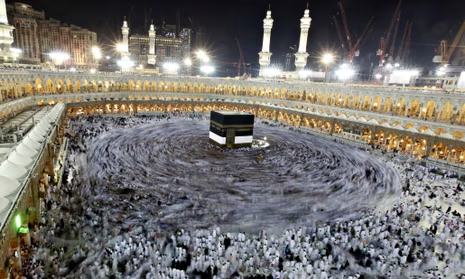
Navigating Makkah during Umrah can be confusing for first-time pilgrims because:
- The city is extremely crowded
- Many hotels look similar
- Streets around Masjid al-Haram change due to crowd control
- Walking distances feel longer than expected
That’s why Google Maps becomes one of the most useful tools for modern pilgrims.
However, it does not always work perfectly in crowded religious zones, so knowing how to use it correctly is very important.
Step 1: Download Google Maps Offline Before You Go Outside
One of the most important things you must do is download offline maps.
✔ How to do it:
- Open Google Maps
- Search “Makkah”
- Tap your profile icon
- Select Offline Maps
- Choose “Select Your Own Map”
- Download the full Makkah area
Why this is important:
- Works without SIM card or WiFi
- Helps when network is weak
- Allows basic navigation anywhere in Makkah
📌 Without offline maps, you may lose direction in crowded areas.
Step 2: Save Your Hotel Location Immediately
Makkah has thousands of hotels, many with similar names.
✔ Do this after check-in:
- Search your hotel on Google Maps
- Tap “Save” or “Label”
- Rename it as “My Hotel”
📌 This makes it easy to return after:
- Prayers
- Shopping
- Walking around Haram area
💡 Many pilgrims rely on this single step more than anything else.
Step 3: Using Google Maps to Reach Masjid al-Haram
When you search “Masjid al-Haram”, Google Maps shows:
- Multiple walking routes
- Gate directions
- Road diversions
But here is the reality:
⚠️ Routes around Haram may change due to crowd control ⚠️ Some gates may close during prayer times ⚠️ Shortest route is not always the best route
📌 Always double-check with hotel staff if unsure.
Step 4: Walking Navigation in Makkah
Google Maps walking mode is very useful for:
- Hotel → Haram routes
- Nearby restaurants
- Pharmacies
- Shopping areas
Smart walking tips:
- Avoid narrow shortcuts in crowded zones
- Stick to main roads
- Expect longer walking times during prayer rush
📌 Example: 5-minute route may take 20 minutes during peak times.
Step 5: What to Do When Internet Is Weak
In Makkah, internet can become slow due to millions of users.
✔ If Maps is not loading:
- Use offline map mode
- Keep GPS ON (location still works)
- Avoid refreshing repeatedly
- Pre-load route before leaving hotel
📌 Even without internet, your blue location dot still shows your position.
Step 6: Understanding Real Conditions in Makkah
Many first-time pilgrims get confused because:
- Roads may be blocked temporarily
- Pedestrian routes may change
- Distance feels longer due to crowds
📌 Google Maps shows ideal routes, but Makkah movement is influenced by crowd management, especially near prayer times.
Step 7: Using Google Maps for Transport (Uber / Careem)
Google Maps helps with:
- Finding taxi pickup points
- Estimating travel time
- Navigating to hotels
- Planning airport transfers
💡 Tip: Always choose pickup points away from crowded Haram gates for easier access.
Common Mistakes Pilgrims Make
Avoid these mistakes:
❌ Not downloading offline maps ❌ Relying only on shortest route ❌ Not saving hotel location ❌ Ignoring crowd delays ❌ Walking into restricted zones
📌 These mistakes often lead to confusion and delays.
Smart Tips for Better Navigation in Makkah
✔ Use landmarks instead of just streets:
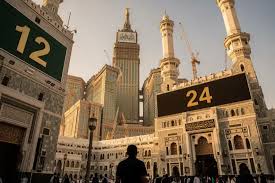
- Clock Tower
- King Abdul Aziz Gate
- Safa & Marwa area
✔ Start navigation early:
Don’t wait until you are lost.
✔ Travel light when walking:
Crowds slow movement significantly.
✔ Keep battery charged:
Navigation + WhatsApp + camera drains fast.
Can You Fully Rely on Google Maps in Makkah?
Yes — but not 100%
✔ Very useful for hotels and general navigation ✔ Helpful for walking routes ✔ Good for transport planning
⚠ But not perfect near Masjid al-Haram due to crowd dynamics and temporary restrictions.
📌 Best approach: use it as a guide, not the only source.
Final Advice for Pilgrims
Google Maps is extremely helpful during Umrah, but it works best when combined with preparation.
Best strategy:
👉 Download offline maps 👉 Save your hotel location 👉 Use GPS smartly 👉 Expect crowd delays 👉 Ask locals when needed
With this approach, navigation in Makkah becomes much easier and stress-free.
Spiritual Reminder
Technology helps your journey, but Umrah is about worship, patience, and reflection.
Try not to let navigation stress distract you from your spiritual experience.
May Allah make your journey easy, safe, and accepted.